Release 2.10.26.1 & 2.11.12.1
This release introduces a new field (page.order.items.date) in the Elasticsuite tracker related behavioral data indices which requires
updating the mapping of tracker_log_event indices where the field does not exist yet in the mapping fixing the mapping of tracker_log_event indices where the field already exists but with the wrong type which requires « cloning » those indices and re-indexing them locally
in all likelihood, this should concern only the last created tracker_log_event indices (one per store)
the re-indexing operation should be pretty quick, even with millions of events on such indices updating all orders events to propagate the order date to the page.order.items.date structure
which will take more time the bigger your retention delay and the more numerous your average number of sales per month
The steps above are automated in a Magento data upgrade script, executed by setup:upgrar.
🏆 Main features
💎 Introducing revenue as a metric
We’re introducing a new Elasticsuite Premium composer package named smile/module-elasticsuite-category-monitoring.
It provides a new module Smile_ElasticsuiteCategoryMonitoring whose feature is a new menu entry under « Elasticsuite Categories > Virtual Categories Dashboard« .
As its name suggests, it provides a screen listing all your virtual categories with some relevant information, alerts if need be and a direct link to go edit the virtual category.r.
Products accumulated revenue is now available as a behavioral data metric with the ability to create behavioral optimizers on
• Total revenue (accumulated revenue on the whole behavioral data retention delay)
• Cumulative revenue on the last 30 days (accumulated revenue on the « daily » stats window, which is 30 days by default)
• Cumulative revenue on the last 60 days (accumulated revenue on the « weekly » stats window, which is 60 days by default)
• Averaged daily revenue on the last full 7 days (moving average indicated as « on the last 30 days »)
• Averaged weekly revenue on the last full 4 weeks (moving average indicated as « on the last • 60_days »)
(This is a reminder that we haven’t introduced yet the ability to extend the moving average metrics computation for all metrics to use the full window available for « daily » and « weekly » stats. This is something tuate your virtual categories.
💎Changes for the “Based on attribute value” and “Based on behavioral data” optimizers
The “Based on attribute value” and “Based on behavioral data” rely on a per-product value (attribute value or behavioral metric, respectively) to determine their boost.
That raw value is multiplied by a “scale factor” (the same for all products) which is valued at 1 by default but could be changed in the optimizer edit form field “Boost value (multiplier)“.
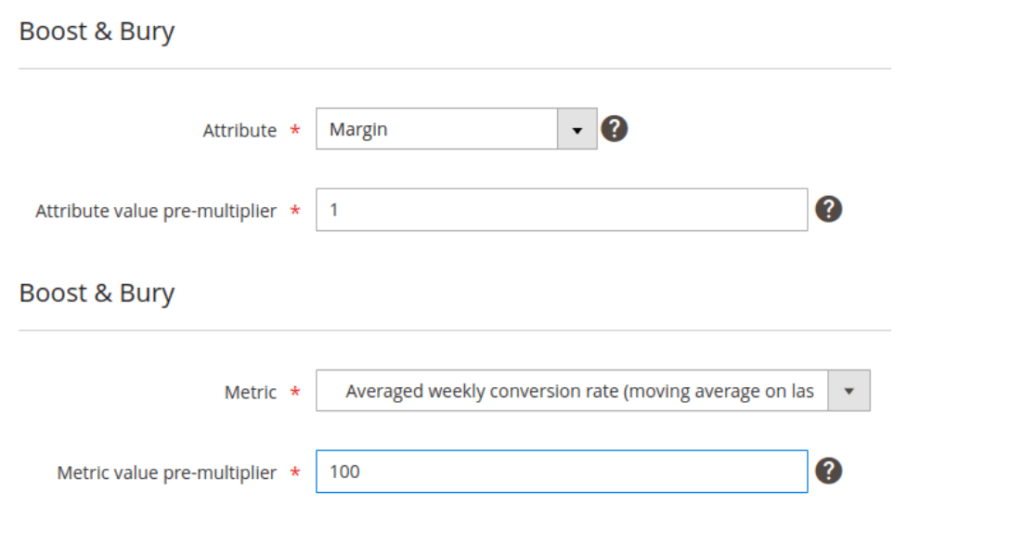
That field has been renamed to be (we hope !) more explicit :.
“Metric value pre-multiplier” for “Based on behavioral data” optimizers
It is also now located just below the attribute or metric select field.r.
“Attribute value pre-multiplier” for “Based on attribute value” optimizers
- • either to all categories
- • or only to some categories
Preventing “negative boosting” when the product value is too low
The per-product attribute/metric value, multiplied by that “scale factor” / value pre-multiplier can then be passed through a function represented by the “Boost impact” to potentially reduce the actual score boost it will generate
- the High boost impact is the identify function
if the pre-multiplied attribute/metric value is 10, your product score will be multiplied by 10
if the pre-multiplied attribute/metric is 100, your product score will be multiplied by 100
this means huge differences in attribute or metric value will generate huge differences in score multipliers
- the Medium boost impact uses the square root function
if the pre-multiplied attribute/metric value is 10, your product score will be multiplied by ~3.16
if the pre-multiplied attribute/metric is 100, your product score will be multiplied by 10
this helps reduce the range of score multipliers compared to the original range of attribute/metric value between products
- the Low boost impact uses the common (decimal) logarithm to reduce the attribute/metric value+1 more aggressively
if the pre-multiplied attribute/metric value is 10, your product score will be multiplied by ~1.041
if the pre-multiplied attribute/metric value is 50, your product score will be multiplied by ~1.707
if the pre-multiplied attribute/metric is 100, your product score will be multiplied by ~2.004
Historically, we only made sure to exclude any product with an invalid value for the function behind each boost impact.
But that didn’t prevent some products with a defined but low attribute/metric value from being actually penalized compared to products without any value.
For instance, for an optimizer
- – boosting products according to their average daily sales number
- – with a “Boost value (multiply)” (now named “Metric value pre-multiplier”) of 1 (default value)
- – and the “Low impact” selected
a product with an average daily sales of 5 would actually get a score multiplier of 0.77, so lowering its final, compared to a new product with no sales at all yet
The introduced changes now make sure to exclude any product with an attribute/metric value too low to result in a score multiplier greater than 1 :
for the High and Medium impact, that will be 1 and lower (divided by the pre-multiplier)
for the Low impact, that will be 9 and lower (divided by the pre-multiplier)
Given the previous example, the product with an average daily sales of 5 will no longer be penalized, but it won’t be boosted either.
The solution in this case, which is the traditional one when using the “Low impact boost” is to use an “Attribute/Metric value pre-multiplier” of 10 instead of 1.
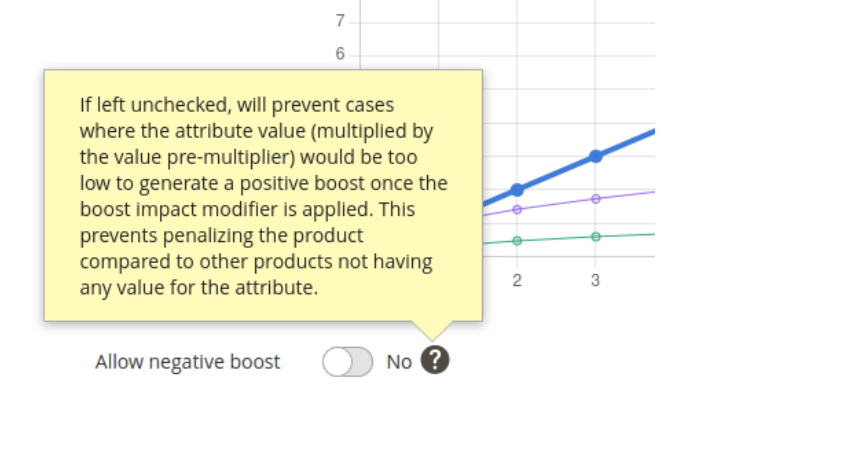
If for whatever reason, you want for a given Attribute value/Behavioral data optimizer, to revert back to the historical behavior, you can do so with switching to Yes the new optimizer parameter “Allow negative boost”.
Its default value is No to make all existing optimizers benefit from the new products exclusion mechanism
📦 Features
- 💎[BehavioralData] Introduce revenue as a metric
- [Catalog] Implementing Category permissions
- 💎[BehavioralOptimizer] Move up and change label for ‘Boost value (multiplier)’
- 💎[BehavioralOptimizer] Scale function/factor dependant products exclusion
- [CatalogOptimizer] Move up and change label for ‘Boost value (multiplier)’
- [CatalogOptimizer] Scale function/factor dependant products exclusion
- [CatalogOptimizer] Adding the products SKU in the preview area
- 💎[Explain] Display alternative queries weight
- [Healthcheck] Introduce the notion of Severity for checks
- [Healthcheck] Severity color coding
💻 Technical
- [CatalogRule] Adding basic unit tests
- [Core] Allow providing a value for “missing” values in sort order params
- [Healthcheck] No menu decoration if Debug Mode enabled
- [Tools] Code quality to use PHP 8.1 to support associative array unpacking
- [Tracker] Make sure the order date is available at the order items level
- [Virtual Category] Prevent using cached query for sub virtual category
🐛 Fixes
- 💎 [Explain] All store views optimizers not indexed in percolator
- 💎[Explain] All store views optimizers not visible in Explain
- [Healthcheck] Prevent shift of Admin Menu
- [Healthcheck] Fixing invalid package version reading