Elasticsuite 2.12.2, 2.11.21 & 2.10.36 are out. This release introduces the Recommender Explain module, a UI rework on the Explain screen, CSV import/export for category attributes, a search-as-you-type company selector in Search Usage for Magento B2B users, and finer control over Health Check notifications. Here’s what matters, in plain terms. For the complete technical changelog, fixes and pull requests, everything is on GitHub.
Recommender Explain, built in PREMIUM
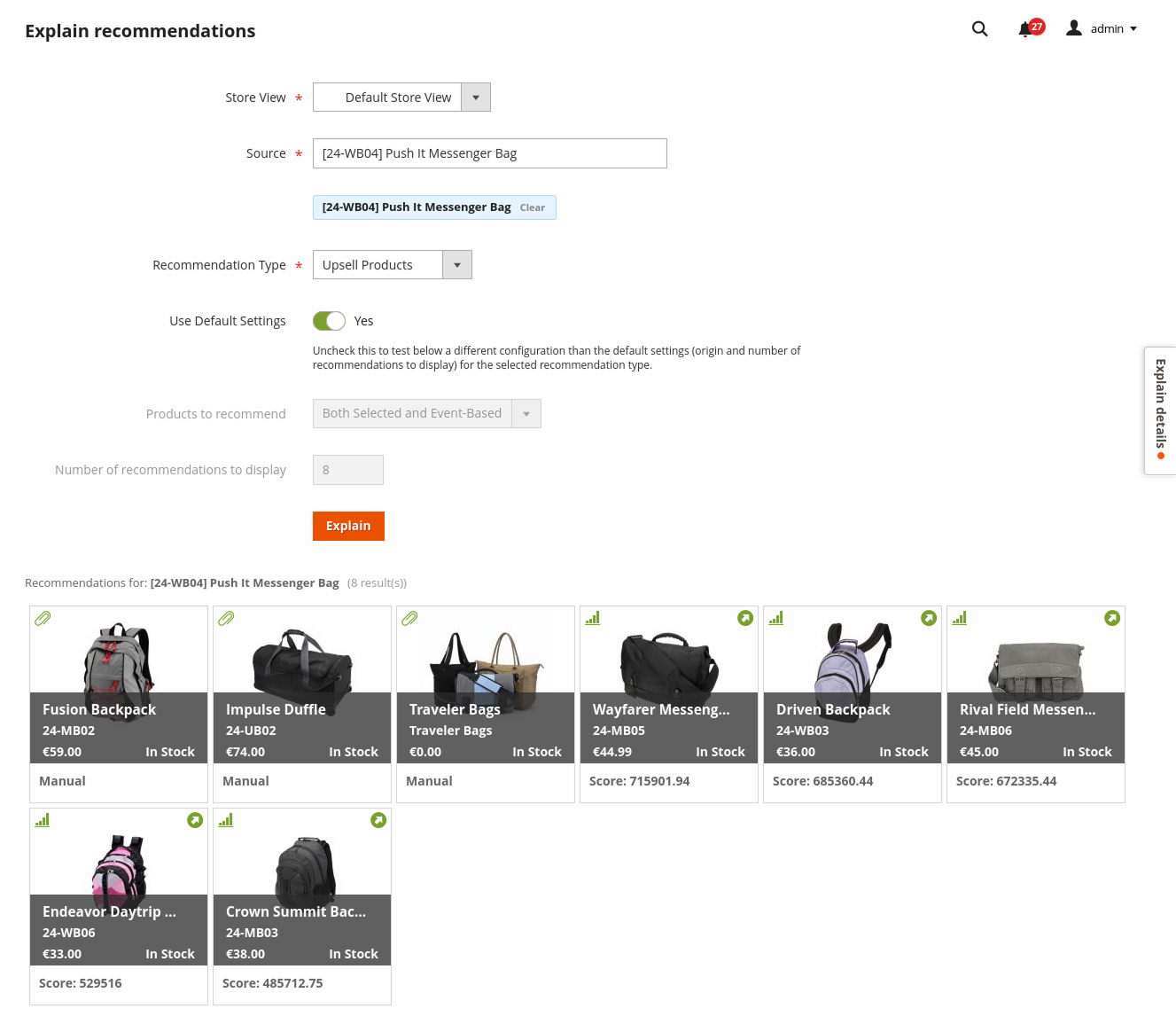
This release introduces the Recommender Explain module to help you preview, from the Magento Admin interface, the behavior of the Elasticsuite Premium Recommender module. It tells you whether a recommendation comes from a manual selection on the product edit page or from behavioral data-based rules, and lets you test a different configuration for a given recommendation type: Related Products, Upsell or Cross-sell.
The module is designed to grow. Future releases will add more contextual information, including which behavioral rule or rules a product matched and how its score is computed.
Installation
You can install the Smile_ElasticsuiteRecommenderExplain module directly via Composer, using the correct Elasticsuite branch for your Magento version:
| Magento version | Elasticsuite | Installation |
|---|---|---|
| < 2.4.6 | 2.10.x | composer require [--ignore-platform-reqs] smile/module-elasticsuite-recommender-explain ~2.10.0 |
| >= 2.4.6 && < 2.4.9 | 2.11.x | composer require [--ignore-platform-reqs] smile/module-elasticsuite-recommender-explain ~2.11.0 |
| >= 2.4.9 | 2.12.x | composer require [--ignore-platform-reqs] smile/module-elasticsuite-recommender-explain ~2.12.0 |
You will also automatically benefit from the module if you upgrade the Elasticsuite Premium metapackage:
| Magento flavour | Metapackage upgrade |
|---|---|
| Community Edition / Magento | composer update --with-all-dependencies smile/elasticsuite-premium-magento |
| Enterprise Edition / Adobe Commerce | composer update --with-all-dependencies smile/elasticsuite-premium-commerce |
As a reminder, to install our metapackage for the first time:
| Magento version | Community Edition / Magento | Enterprise Edition / Adobe Commerce |
|---|---|---|
| < 2.4.6 | composer require [--ignore-platform-reqs] --with-all-dependencies smile/elasticsuite-premium-magento ~2.10.0 |
composer require [--ignore-platform-reqs] --with-all-dependencies smile/elasticsuite-premium-commerce ~2.10.0 |
| >= 2.4.6 && < 2.4.9 | composer require [--ignore-platform-reqs] --with-all-dependencies smile/elasticsuite-premium-magento ~2.11.0 |
composer require [--ignore-platform-reqs] --with-all-dependencies smile/elasticsuite-premium-commerce ~2.11.0 |
| >= 2.4.9 | composer require [--ignore-platform-reqs] --with-all-dependencies smile/elasticsuite-premium-magento ~2.12.0 |
composer require [--ignore-platform-reqs] --with-all-dependencies smile/elasticsuite-premium-commerce ~2.12.0 |
Explain: UI rework & preview without optimizers PREMIUM
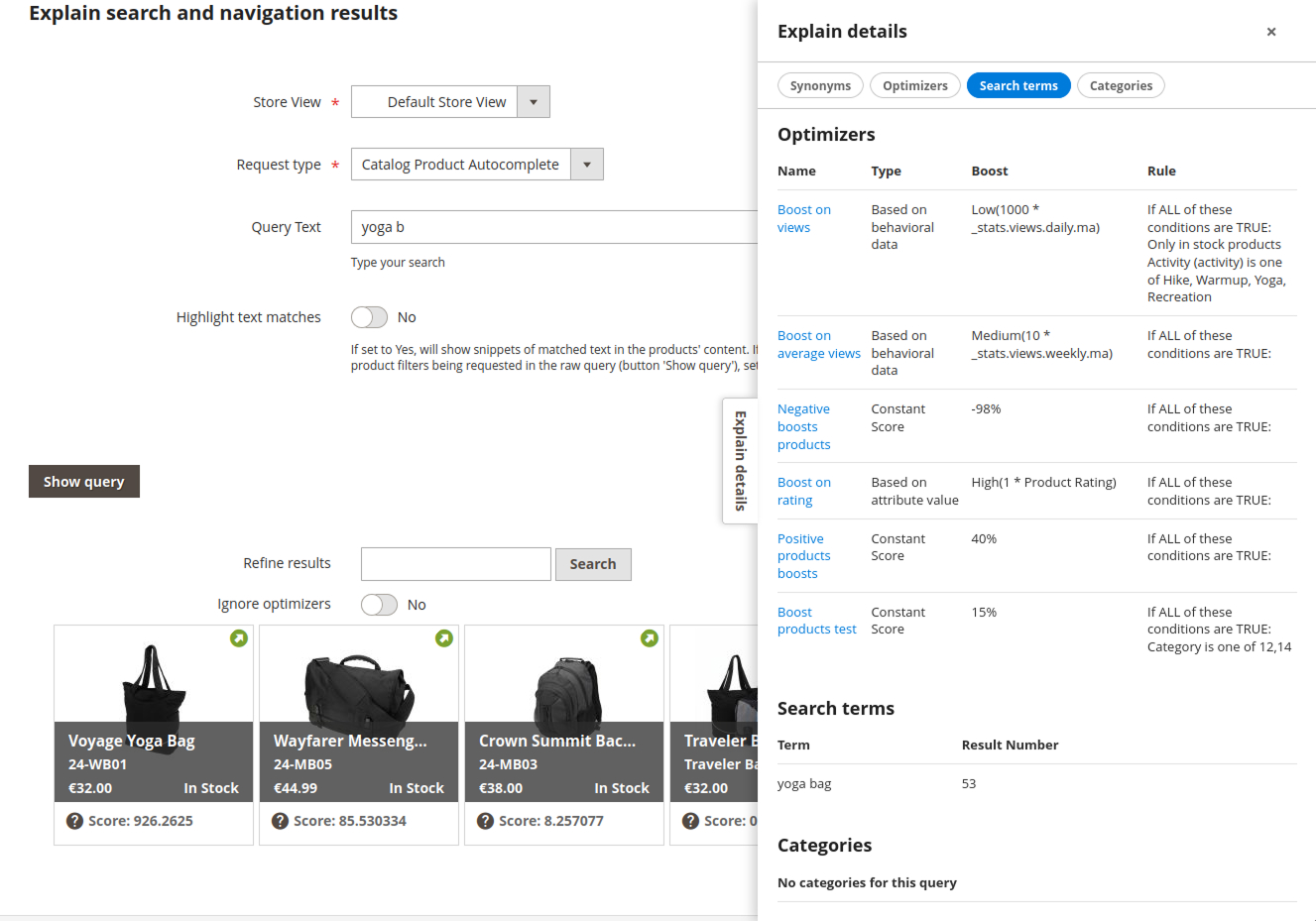
The context information blocks, including the list of synonyms, optimizers and popular searches, are now located in a resizable side panel on the Explain screen. This limits the amount of scrolling needed to reach preview results from the Explain parameters form.
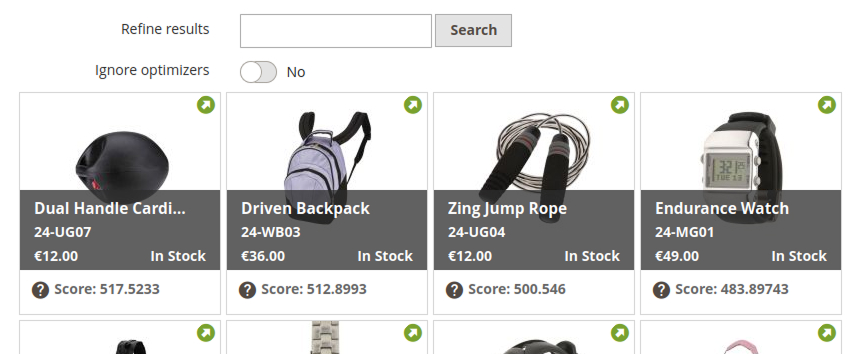
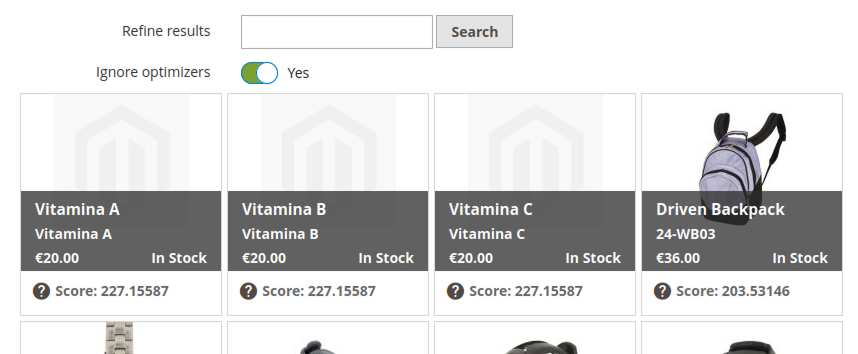
Above the preview results, there is now an “Ignore optimizers” checkbox. It lets you re-run the same preview without applying any applicable optimizers, giving you an idea of the pure, unaltered fulltext scores of products for a given search term or set of terms.
CSV import/export for Elasticsuite category attributes
Up until now, changing category attribute properties such as searchability, search weight or search analyzer required database changes or an elasticsuite_indices.xml override. This release introduces a CSV import/export mechanism for category attributes’ Elasticsuite properties, similar to the one already available for product attributes.
It is available through:
- the native System > Data > Export and System > Data > Import screens, where a new “ElasticSuite Category Attributes properties” export/import model is available;
- the product attributes grid under Store > Attributes > Product, where Export to now includes CSV Elasticsuite Product attributes properties and CSV Elasticsuite Category attributes properties.
Search Usage: company selector goes search-as-you-type (B2B) PREMIUM
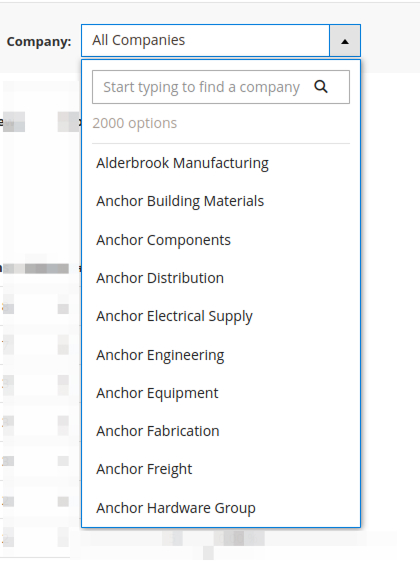
The simple HTML <select> used as a Company filter in Search Usage analytics for Magento B2B users, available since releases 2.10.24 and 2.11.10, has been upgraded to a search-as-you-type UI component. It makes filtering practical for users managing hundreds or thousands of registered companies.
Health Check: control when the red badge appears on the menu
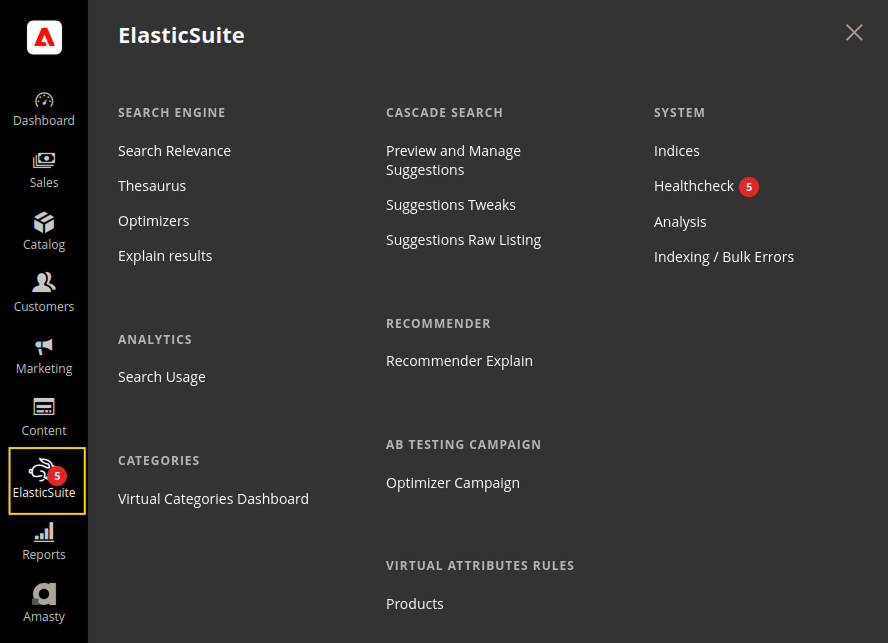
When Elasticsuite Health Checks fail, the Elasticsuite admin menu is decorated with a red bubble showing the total number of failed checks. Until now, that badge appeared regardless of the severity level: Notice < Warning < Error < Critical.
A new setting is now available under Store > Configuration > Elasticsuite > Base Settings > Healthchecks > Minimum Severity for Menu Decoration. It lets you show the red bubble only when a failed Health Check reaches a chosen threshold.
For example, selecting Warning means the badge will not appear on the Elasticsuite menu when all failed checks are only at Notice level. The notices remain visible on the Elasticsuite > Healthcheck screen.
Looking for the technical details?
Every feature, technical change, fix and pull request for 2.12.2, 2.11.21 and 2.10.36 is documented in full on GitHub.
Read the full changelog →